Your Website Might Be Locking AI Out at the Front Door
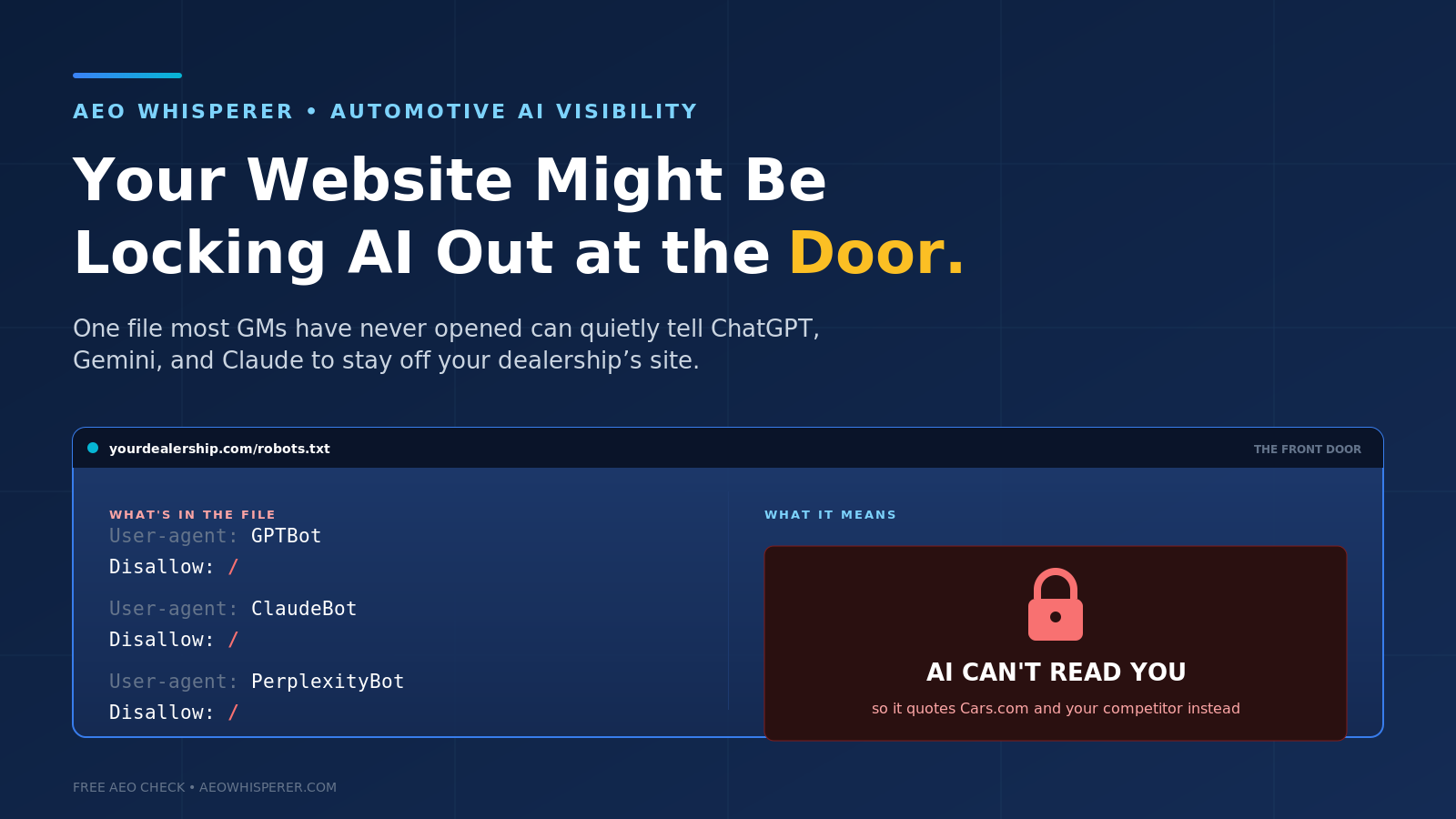
A few weeks ago I was on the phone with another GM, comparing notes on this whole AI-search thing. He'd done everything right — rewrote his VDP copy, cleaned up the Google Business Profile, got the FAQ page built. And he was still frustrated. "I ask ChatGPT about my store and it barely knows I exist. The dealer one town over comes up every time." So we got on a screen share and pulled up one file on his website that almost no GM has ever looked at. There it was, in black and white: his site was politely telling the AI engines to stay out.
He didn't do it. He didn't even know it was there. But it was costing him every single day.
The one file that decides whether AI can read you
Every website has a little text file called robots.txt. It's been around since the dawn of the web, and its job is to tell automated visitors — crawlers — what they're allowed to look at. For twenty-five years the only crawler anyone cared about was Googlebot, because that's what got you into search results. Nobody thought about it much.
Here's what changed. The AI engines send their own crawlers now, with their own names — GPTBot and OAI-SearchBot from OpenAI, ClaudeBot from Anthropic, PerplexityBot, Google-Extended for Gemini. When a shopper asks ChatGPT about your store, one of those bots may go out and actually read your website to build the answer. If your robots.txt is blocking it, that bot turns around at the door. The engine then does the only thing it can: it falls back to whatever it can find about you on Cars.com, DealerRater, or a competitor's comparison page. You've handed your story to someone else to tell.
Why this happens to dealers who never touched a line of code
This is the part that should bother every GM, because it's almost never your fault and it's almost always invisible. There are a few common ways it happens. Your website vendor may block AI crawlers by default — a lot of the big dealer website platforms made that the standard setting a while back, sometimes to "protect" your content from being used in AI training, and they never asked whether you wanted to be findable in AI search. Your security provider or CDN may be blocking the bots as suspected scrapers. Or someone, at some point, added a blanket rule to keep traffic down, not realizing they were also shutting the door on the engines your customers now use to choose a dealer.
The result is the same in every case: a store that did all the content work and still shows up thin, generic, or wrong — not because the content is bad, but because nobody on the AI side can actually see it.
This is worse than a content problem
I've written a lot in this space about getting your reviews right, making your VDPs quotable, building a real FAQ page. All of that matters. But it all assumes one thing: that the AI can read your site in the first place. If the front door is locked, none of the rest counts. You can have the best showroom in the state, but if the address on the sign is wrong, nobody walks in.
That's why I'd put this near the top of the list. It's not a months-long content project. It's frequently a one-line fix. But you can't fix what you don't know is broken, and right now most stores have never checked.
What to actually do this week
Start by looking. You can see your own robots.txt file by typing your website address followed by /robots.txt into any browser — yourdealership.com/robots.txt. You don't need to be technical to spot trouble. Scan for the AI crawler names: GPTBot, OAI-SearchBot, ClaudeBot, PerplexityBot, Google-Extended. If you see any of them sitting next to the word "Disallow," that's a bot being turned away.
If you find a block — or you're not sure what you're looking at — get your website vendor on the phone and ask them one direct question: "Is our site allowing the AI search crawlers, and if not, will you open them up?" Make them answer it specifically, not with a vague "you're all set." It's their default setting that likely caused this, and it's a quick change on their end. Decide deliberately: most dealers want to be visible in AI search, so allowing the search bots is usually the right call.
And once the door's open, give it a little time and check again. Crawlers don't re-read your site the instant you change a setting, but within a few weeks the engines start picking up what they were missing.
Check the front door before anything else
It's a strange thing to realize the most expensive problem on your website might be a file you've never opened. But that's exactly the kind of gap that's everywhere right now, because this all moved faster than anyone's IT setup did.
Worth checking before anything else on the list. How AI decides which dealership to recommend explains what the engine does when it cannot read you, your inventory pages may not exist until somebody opens them, and schema markup is the next thing to fix once the crawler is through the door.
The free AEO check at aeowhisperer.com runs real shopper questions through ChatGPT, Gemini, and Claude and shows you what they actually say about your store — including the telltale signs that the engines can't really see your site at all. It takes about a minute, and it'll tell you whether your front door is open or quietly locked.